
Software Development
Desktop App vs Web App: What Should You Build?
Choose the application model from operating constraints, not whichever technology happens to be fashionable.
The short answer
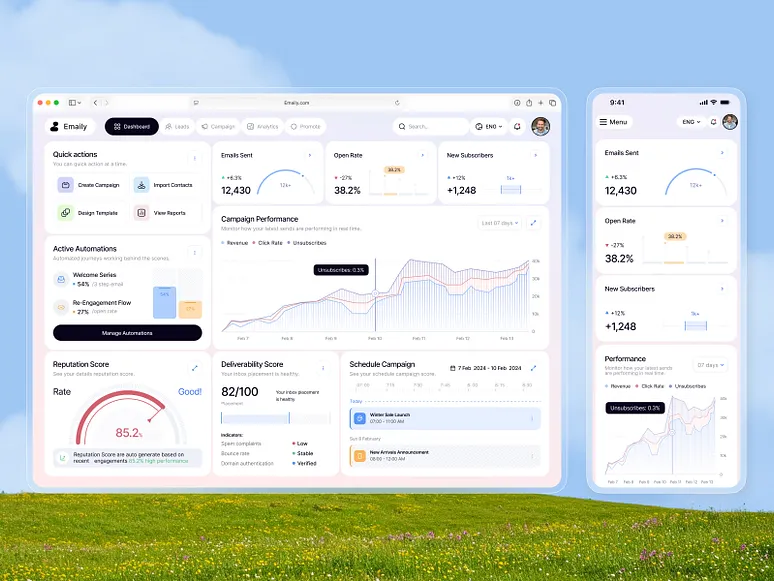
Choose a web app when broad access, centralized deployment and link-based collaboration dominate. Choose a desktop app when deep hardware access, sustained offline work, local processing or operating-system integration is essential. A hybrid can share web technology, but it still inherits installation, signing, update and security responsibilities. Score the actual workflow instead of deciding from performance folklore.
Key takeaways
- Choose from operating conditions and critical workflows.
- Treat sustained offline synchronization as a major system capability.
- Account for signing, updates and local data in desktop ownership.
- Prototype the highest-weight uncertainty before committing.
Start with users and operating conditions
List where the software runs, who controls the devices, how often users change computers and whether external collaborators need access. Browser delivery is powerful for distributed access, while managed desktops can support tightly controlled industrial or professional environments.
Describe the critical workflow during poor connectivity, device sleep, interrupted updates and account loss. These conditions expose architectural requirements that a simple feature comparison misses.
- Managed company devices or public access
- Continuous, intermittent or absent connectivity
- External hardware and local file requirements
- Expected release and support model
Compare offline work and hardware integration
A browser can support caching, local storage and selected device capabilities, but background behavior and hardware access remain constrained by platform and permission support. Desktop applications can integrate more deeply with files, peripherals and long-running local processes, which increases both capability and security responsibility.
Separate occasional offline viewing from sustained offline editing with conflict resolution. If offline behavior is central, prototype synchronization and recovery with real data before choosing the delivery model.
Understand security and data-storage differences
Neither model is automatically more secure. Web applications centralize much of the server and release surface, while desktop applications introduce installed binaries, local storage, update channels and device variation. Both require authenticated APIs, least privilege, secure secret handling and a response plan.
Decide which information may be stored locally, how it is encrypted, what happens on a shared or lost device and how access is revoked. Do not embed reusable server credentials in distributed application code.
Compare deployment, updates and support
A web release can reach users centrally, though browser compatibility and backend migration still need care. Desktop delivery requires packaging, signing, update verification and support across operating systems and versions. Enterprise device management can simplify rollout but becomes a dependency of the operating model.
Estimate the maintenance surface for the chosen platforms and establish how urgent security updates reach users. A cross-platform framework shares code, not every behavior or test, so retain platform-specific validation.
Use a weighted decision matrix
Score access reach, offline duration, hardware depth, local performance, update control, data sensitivity and team capability. Weight each factor by importance to the core workflow. Document assumptions and run a proof for any high-weight factor supported only by opinion.
Revisit the decision when operating conditions change. Some products begin as web applications and add a focused companion; others use a desktop shell for local integration while keeping services centralized. Architecture can be staged without pretending every future need is certain today.
From our verified catalogue
Related Dragside services
Frequently asked questions
- Are desktop applications more secure than web applications?
- Not inherently. Desktop software can keep some processing local but adds binary distribution, updates and local storage. Web software centralizes releases but exposes network services. Security depends on architecture, permissions, maintenance and the specific threat model.
- Can a web application work offline?
- Yes, within browser and platform constraints. The important distinction is whether users only need cached viewing or must create and reconcile substantial changes. Test storage limits, conflict behavior, expiry and recovery on supported devices.
- When is a desktop web framework appropriate?
- It can fit teams that need desktop packaging and selected native integrations while sharing web skills. Evaluate memory, startup, accessibility, update security, native feature needs and platform behavior rather than assuming shared code removes desktop responsibilities.
Related guides

Automate Workflows With Custom Internal Tools
Turn repetitive work into a reliable system without automating broken processes or removing necessary human judgment.
Read guide
Full-Stack Web App Development: A Buyer's Guide
A practical build guide for founders and teams turning requirements into a production-ready web application.
Read guide
Scalable SaaS Platform Architecture: What Matters
A stage-aware architecture guide that separates decisions needed now from infrastructure that can wait.
Read guideFrom idea to delivery