Copy & Email
Email Copywriting and Automation: Build the Funnel
Connect words, audience context and automation logic so every email has a clear role in the customer journey.
The short answer
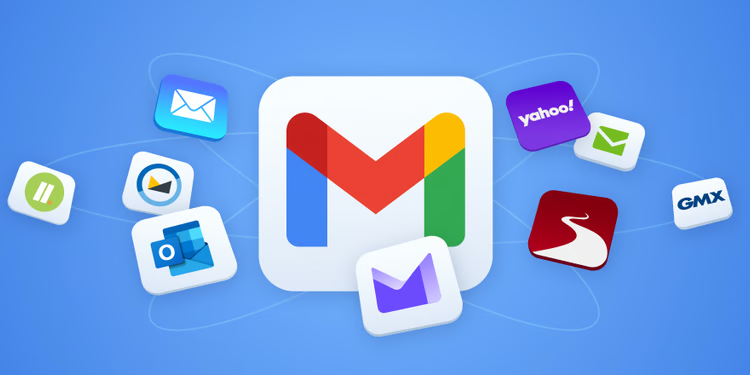
Build email automation by mapping the customer journey and giving each message one useful job. Trigger from meaningful behavior, segment only when the experience changes, write a truthful subject and clear next step, and define when a sequence stops. Test links, data, consent, rendering and fallback states before launch, then measure business outcomes and complaints alongside opens or clicks.
Key takeaways
- Give every email a clear role in an observed customer journey.
- Use truthful copy, useful segmentation and reliable triggers.
- Test data, rendering, recipient control and failure behavior.
- Measure the intended outcome and maintain sequences as products change.
Map the journey before writing the sequence
Identify the event that starts communication, what the recipient likely knows, the decision they face and what other channels are active. A welcome series, onboarding sequence, abandoned action and renewal reminder serve different needs. Do not force every contact through one generic funnel.
Create a journey table with trigger, eligibility, message purpose, next action, delay, exit condition and owner. Include suppression rules so a purchase, support issue or unsubscribe immediately changes communication.
- Consent and legitimate audience eligibility
- Trigger and required customer context
- Single job for each message
- Exit, suppression and escalation conditions
Write subject lines and body copy for clarity
A subject should set an accurate expectation, while preview text adds useful context instead of repeating it. Open with the reason for the message, explain the relevant value or action and make the primary next step visible. Use the brand voice without hiding meaning behind cleverness.
Support claims with information the organization can verify and include material conditions near the claim or action. Write useful transactional and error copy with the same care as promotional messages.
Design segmentation and automation triggers
Segment when recipients need meaningfully different content, timing or eligibility—not merely because a field exists. Use reliable data and provide a fallback when an attribute is missing. Sensitive inferences require careful review and may not belong in marketing personalization.
Make event processing safe against duplicates and delays. Store the automation state, prevent repeated sends and define what happens when an integration fails. A marketer should be able to pause a sequence without an engineering emergency.
- Reliable event and source of truth
- Deduplication and send-frequency controls
- Default content for missing profile fields
- Pause, audit and recovery capability
Test rendering, data and recipient control
Test representative inboxes and screen sizes, plain-text fallback, image alternatives, dark-mode behavior where practical, keyboard access and link destinations. Preview records with missing or long fields. Verify tracking and ensure it does not expose private data in URLs.
Use clear sender identity, consent records and an effective unsubscribe path. Legal requirements vary by audience and region, so obtain appropriate advice rather than relying on a template. Recipient trust is a product requirement, not merely a compliance checkbox.
Measure outcomes and maintain the automation
Connect measurement to the message's job, such as completing onboarding, using a feature, recovering an interrupted purchase or renewing with understanding. Opens and clicks can provide clues but should not be treated as complete evidence. Monitor complaints, unsubscribes, delivery errors and support confusion.
Review sequences when products, policies, pricing or audience expectations change. Maintain a content owner, update date and test checklist. Retire automations that no longer serve a clear journey rather than letting old messages continue indefinitely.
From our verified catalogue
Related Dragside services
Frequently asked questions
- Do I need an email copywriter or an automation specialist?
- A copywriter shapes message, voice and persuasion; an automation specialist handles data, segmentation, triggers, platform behavior and measurement. A simple campaign may need one discipline, while a lifecycle program benefits from both responsibilities working from the same journey.
- Which automated emails should launch first?
- Start with a high-value, well-understood journey such as required account communication or onboarding, where consent, trigger and outcome are clear. Avoid creating a large nurture system before source data and suppression behavior are reliable.
- How often should automated email copy be updated?
- Review it whenever the product, offer, policy, brand or journey changes, and on a regular ownership schedule. Monitor broken links, outdated claims, delivery issues, complaints and performance shifts so urgent corrections are not delayed until a broad redesign.
Related guides
Social Media Ad Creative That Supports Campaigns
Move from isolated posts to a campaign system that can produce, test and learn without weakening the brand.
Read guide
High-Converting Web Design: From Brief to Launch
A conversion-focused web-design process grounded in user decisions, useful content and production performance.
Read guide
Automate Workflows With Custom Internal Tools
Turn repetitive work into a reliable system without automating broken processes or removing necessary human judgment.
Read guideFrom idea to delivery